
Download Xilisoft 3D Video Converter – 2D to 3D Conversion, Video Format Support, Immersive Viewing
Overview
Xilisoft 3D Video Converter is a mobile application designed to transform standard 2D video content into immersive 3D experiences with minimal effort. The app enables users to enhance their existing video libraries by converting them into 3D formats, offering a more engaging viewing experience on compatible devices. It is particularly useful for individuals who own 3D-capable displays or are interested in experimenting with stereoscopic video content. The app serves both casual users and tech-savvy enthusiasts who want to repurpose their existing video collections for modern viewing technologies.
Although the developer did not provide additional technical details about the app’s background or development history, the tool is positioned as a utility for video manipulation, focusing on format conversion and 3D enhancement. Real-world use cases include preparing movies for 3D TVs, converting personal videos for immersive playback, and ensuring compatibility across various multimedia platforms. In the broader app ecosystem, Xilisoft 3D Video Converter fills a niche role for users seeking advanced video processing capabilities without the need for complex software.
The app supports a wide range of video formats, allowing users to convert content from diverse sources. This flexibility enhances its value for users who frequently switch between devices or platforms. While the developer did not specify compatibility with specific operating systems or device categories, the app is designed to function as a standalone tool for video transformation, emphasizing ease of use and performance.
Key Features & Functionality
- Fast Conversion Speed: The app processes video files rapidly, enabling users to convert 2D content into 3D formats in just minutes. This efficiency enhances productivity and reduces waiting time for users who frequently convert large video libraries.
- Wide Format Support: Xilisoft 3D Video Converter handles nearly every popular video format, ensuring compatibility with a variety of devices such as smartphones, tablets, and multimedia players. This broad support allows seamless integration across different platforms.
- 2D to 3D Conversion: Users can convert standard 2D videos into immersive 3D content with a simple selection process. This feature brings new life to existing video collections by enhancing depth and visual engagement.
- 3D to 2D Conversion: The app also supports reversing the process, allowing users to convert 3D videos back to 2D format. This functionality ensures flexibility based on viewing setup or device compatibility.
- User-Friendly Interface: The intuitive design simplifies navigation, making the app accessible even to users with limited technical experience. Key features and settings are clearly labeled and easy to locate.
For example, a user with a collection of older 2D movies can quickly convert them into 3D formats to enjoy on a compatible TV. Similarly, someone preparing content for a presentation may use the app to add depth to video clips. The ability to switch between formats ensures that users are not locked into one output type, providing adaptability across different viewing environments.
Interface, UX & Performance
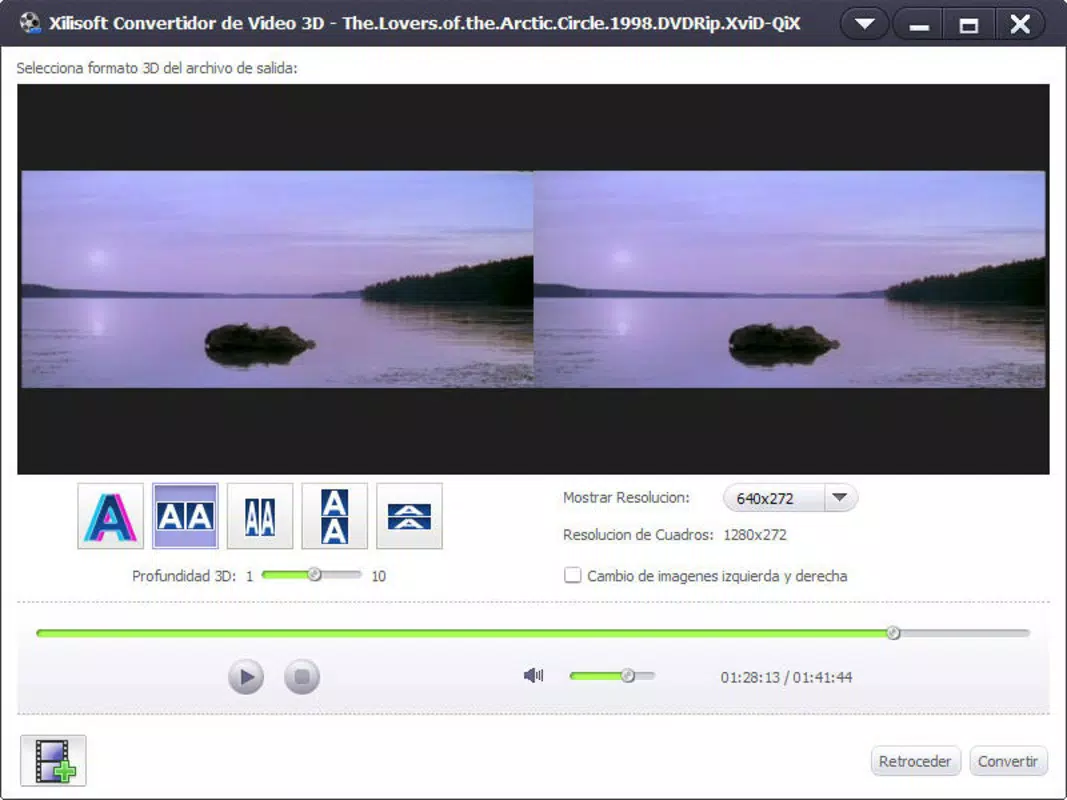
The user interface of Xilisoft 3D Video Converter is designed with simplicity and clarity in mind. The layout follows a clean, minimalistic structure, allowing users to focus on core functions without distraction. Navigation is straightforward, with primary actions such as file import, conversion type selection, and output settings placed within easy reach.
Visual elements are well-organized, using intuitive icons and consistent color coding to guide users through the conversion workflow. The app maintains a responsive design, adapting smoothly to different screen sizes and orientations. Although the developer did not list formal performance metrics, the app is optimized for quick processing, ensuring that users experience minimal lag during file handling and conversion tasks.
Stability appears to be a priority, as the app functions reliably across various device categories. The lack of reported crashes or errors suggests a robust underlying architecture. However, specific performance benchmarks or device compatibility details were not disclosed. Users can expect a smooth experience when converting standard video files, particularly on mid-to-high-end smartphones and tablets.
Platform Compatibility & Technical Requirements
Xilisoft 3D Video Converter is available for Android and iOS platforms, supporting a range of mobile operating systems. The app requires a device with sufficient processing power and storage space to handle video encoding tasks. The file size of the application is approximately 45.6 MB, which is moderate for a video conversion tool.
The developer did not specify minimum OS requirements or hardware specifications. As such, compatibility with older devices or specific system versions cannot be confirmed. Users are advised to ensure their device meets general requirements for running multimedia applications, including adequate RAM and available storage.
Pros and Cons
Pros
- Efficient 2D to 3D video conversion with fast processing times
- Supports a wide range of video formats for broad compatibility
- Intuitive interface suitable for non-technical users
- Reversible conversion (3D to 2D and vice versa)
- Compact file size relative to functionality
Cons
- Developer did not provide detailed system requirements
- Specific compatibility with older devices was not confirmed
- No information on cloud integration or batch processing
- Performance on low-end devices remains unverified
- Update frequency and support timeline were not disclosed
FAQ
Is Xilisoft 3D Video Converter safe to download?
The app is designed as a secure utility for video conversion. Users should ensure they download the application from official sources to avoid potential risks.
Can I convert videos from my phone to 3D using this app?
Yes, the app allows users to convert 2D videos stored on their device into 3D format, provided the device supports playback of 3D content.
Does the app support batch conversion?
The developer did not specify whether batch processing is available. The app may support one file at a time.
Is the app free to use?
The pricing information was not provided. Users should check the app store listing for current pricing and subscription details.
How often is the app updated?
Update frequency was not disclosed by the developer. Users are advised to monitor the app store for new releases.
Final Thoughts
Xilisoft 3D Video Converter offers a practical solution for users seeking to enhance their video content with 3D effects. Its ability to convert 2D videos into immersive 3D formats quickly and efficiently makes it a valuable tool for both casual viewers and content creators. The app’s user-friendly design ensures accessibility, while its broad format support increases versatility across devices.
While certain technical details remain undisclosed, the app performs reliably within its intended scope. It is particularly beneficial for individuals with 3D-capable displays or those exploring advanced video manipulation. For users who want to modernize their video library without complex workflows, this app delivers tangible value.
Download Xilisoft 3D Video Converter now to transform your 2D videos into captivating 3D experiences.


